
Incoming SMS & MMS
Capture and forward supported incoming text-message activity from the phone’s existing SIM.
Connect an Android phone and its existing SIM to AutoForward Text. Forward supported incoming texts, outgoing SMS activity, WhatsApp and messenger notifications, Telegram alerts, call records and missed-call events to email, another phone, Slack, WhatsApp, webhooks or your online inbox.
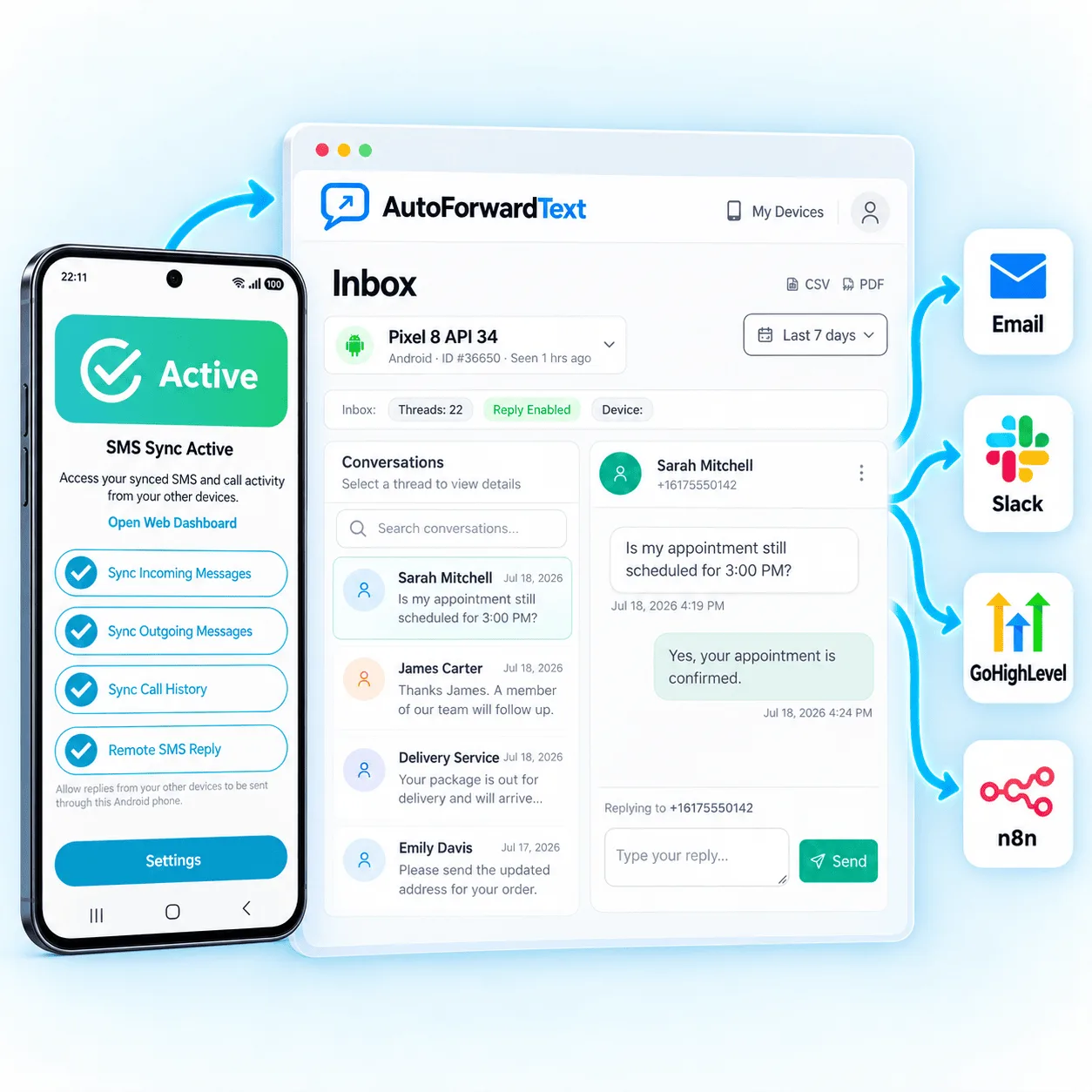
Continue using the phone and SIM that already receive communication.
Install the recommended version directly from the official listing.
Review activity, rules and supported replies remotely.
Connect the Android phone and SIM your business already uses with the people and systems that need its communication. Route supported messages, app alerts and call activity to shared inboxes, email, Slack, WhatsApp, CRM systems, webhooks and automation.
The Google Play version supports the Android features described on this page, including notification access for supported WhatsApp, Messenger, Telegram and other app alerts. Google Play also provides familiar installation and update handling.
Need the direct APK? It remains available through the setup guide, but that version does not include notification access and therefore cannot capture incoming chat-messenger notifications.
The Android channel covers the communication arriving on the device—not only the gateway APIs built around its SIM.
Capture and forward supported incoming text-message activity from the phone’s existing SIM.
Keep supported outgoing SMS activity visible for business records and conversation context.
Forward notification content exposed by supported Android apps after notification access is enabled.
Track supported incoming, outgoing and missed-call events using optional call-log permissions.
Enable supported auto-replies, dashboard replies and sending after outbound SMS permission is granted.
Use contacts, keywords, schedules and available conditions to control forwarding.
Review supported message activity in the dashboard instead of checking the device constantly.
Route communication events to Slack, CRM, webhooks, APIs and automation systems.
When Android Notification Access is enabled, AutoForward Text can process supported notification content displayed by messaging, delivery, banking, monitoring and other apps.
Forward supported personal or business WhatsApp notification previews shown on the Android device.
Route supported Facebook Messenger alerts to email, Slack or another configured destination.
Forward supported Telegram notification previews when Android makes their content available.
Capture supported alerts from delivery, monitoring, commerce and other notification-enabled apps.
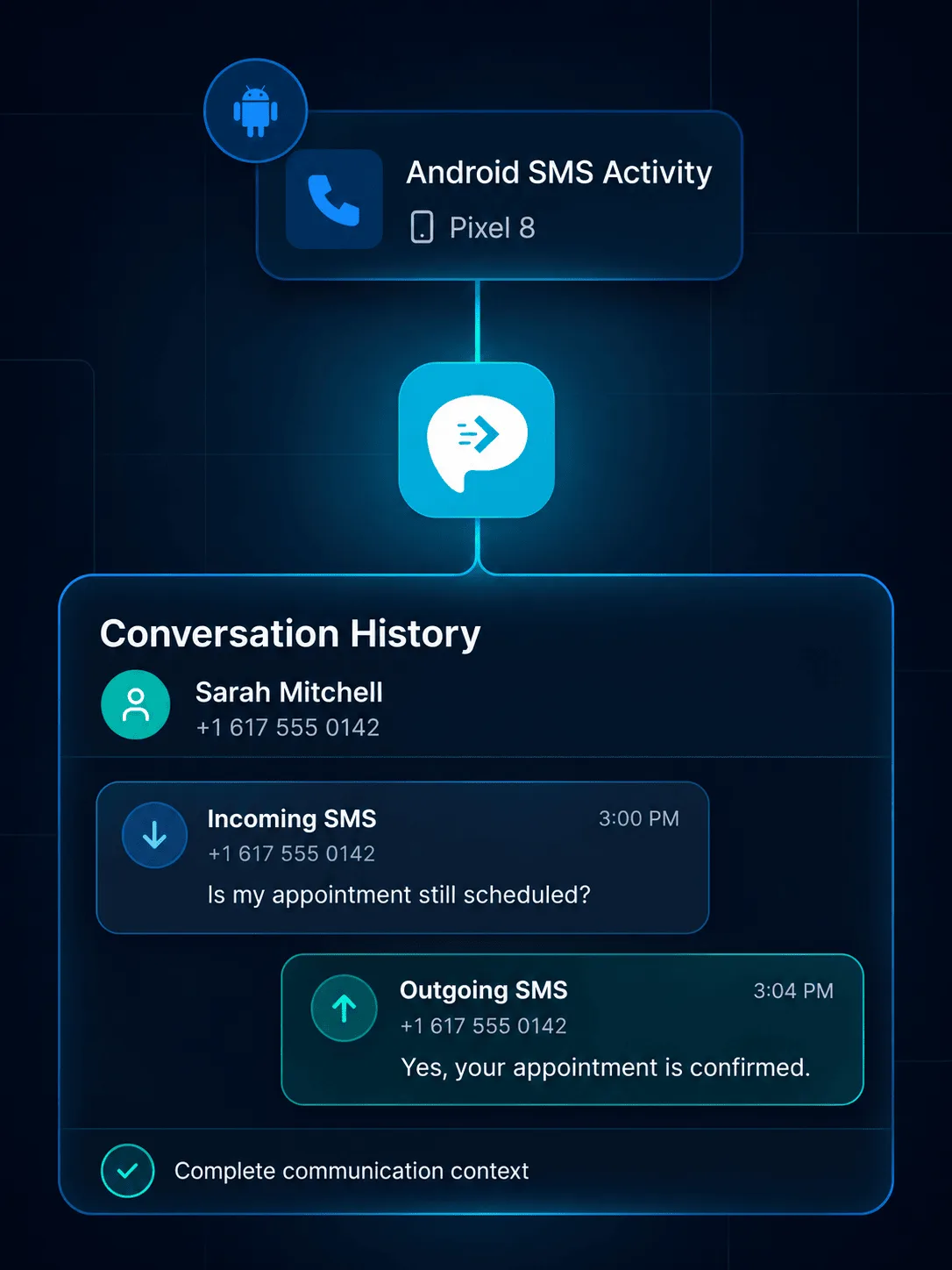
Incoming messages are only half of a business conversation. On supported Android configurations, AutoForward Text can retain outgoing SMS activity so teams can review more complete communication context.
Record sender, content and available timing details from supported SMS.
Keep supported sent-message activity visible for follow-up and review.
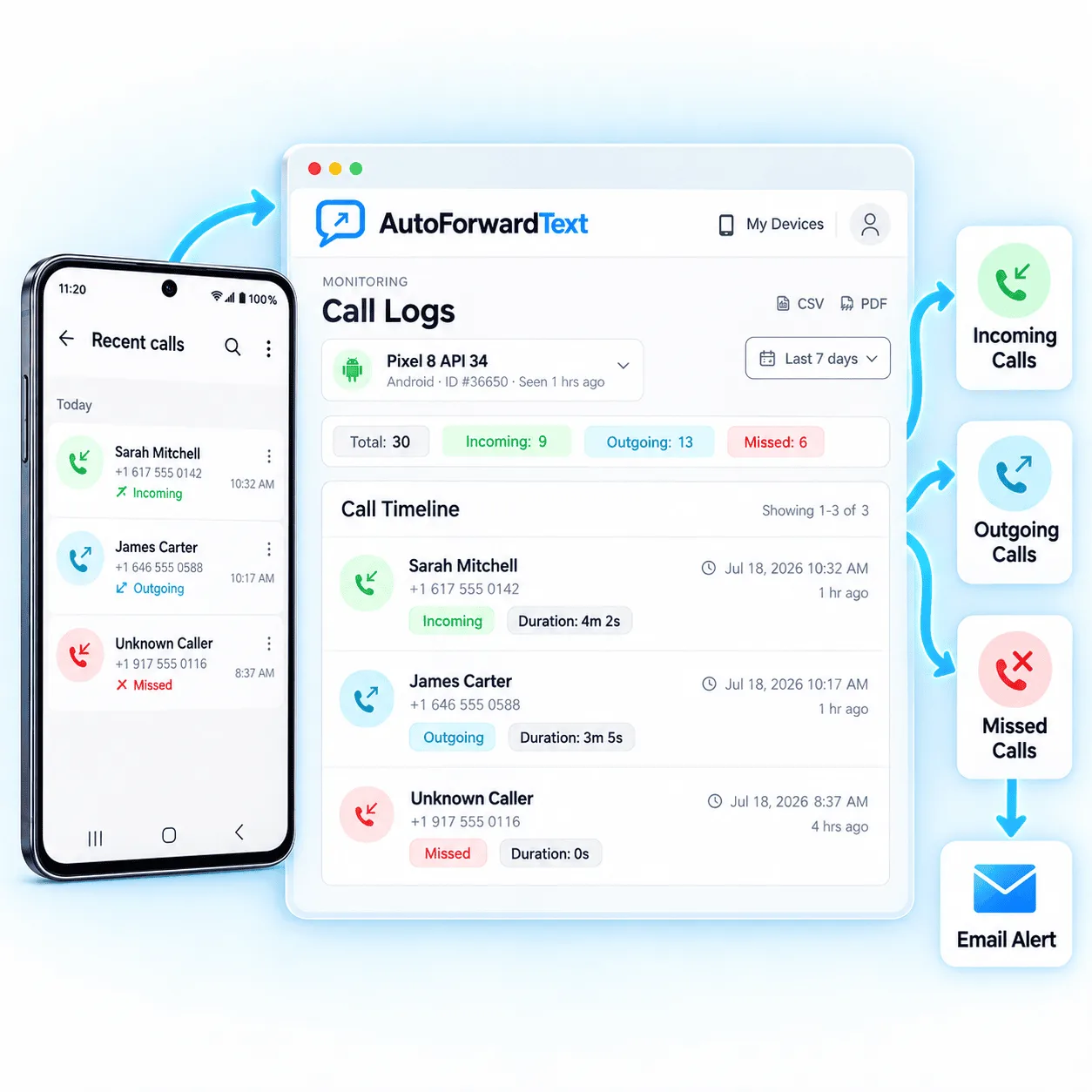
With optional Phone and Call Log permissions, supported Android devices can send call records to the dashboard for business visibility, missed-call follow-up and reporting.
Review available caller, time and duration details.
Keep supported outbound call activity visible to the team.
Route missed-call records into email and supported alert workflows.
Use simple forwarding for visibility or connect supported events with deeper team and automation workflows.
Create searchable records of SMS, notifications and call activity.
Post selected business communication into team channels.
Route supported SMS and alerts into connected WhatsApp workflows.
Review supported conversations and records from the web dashboard.
Add incoming customer messages to supported CRM records.
Pass supported events into your applications and databases.
Trigger n8n, Make.com, Zapier or custom business logic.
Send important alerts to a second number or duty phone.
Reliable background forwarding depends on permissions, internet access and battery settings, as well as the rules configured in the dashboard.
Install the Android app, sign in and connect the phone to your account.
Enable SMS and notification access, plus any optional contacts, phone and call-log permissions you need.
Remove battery or manufacturer restrictions that can stop forwarding.
Choose destinations, apply filters and test each event type you use.
The Android channel brings supported communication from the device into AutoForward Text. The Android SMS Gateway is the developer-focused layer for sending, receiving and automating SMS through the phone’s existing SIM.
Explore Android SMS GatewayAndroid permissions control which communication AutoForward Text can process. Review the configuration carefully, protect account access and use forwarding only on devices and data you are authorized to manage.
You control which permissions are enabled on the Android device and which forwarding rules are configured in AutoForward Text.
Required for supported incoming SMS processing; outbound permission is needed for sending and replies.
Required only when forwarding supported notification content from other apps.
Optional permissions used for supported call records and related device activity.
Battery and background restrictions can delay or stop event processing.
Android versions and manufacturer restrictions can affect permissions and background reliability.
Visit the Help CenterWith the required permissions, the Android app can process supported incoming SMS, SMS activity, call logs and notification content exposed through Android notification access. Available data depends on the Android version, device manufacturer, permissions and source app.
Yes, with the Google Play version and notification access enabled. Supported notification content shown by apps such as WhatsApp, Messenger and Telegram can be forwarded. The direct APK version does not include notification access, and notification forwarding does not read an app’s encrypted message database.
Supported Android configurations can record outgoing SMS activity when the necessary SMS permissions and device support are available. Messages sent outside supported flows or restricted by Android may not be captured.
With optional Phone and Call Log permissions, supported devices can provide incoming, outgoing and missed call activity, including available caller and timing details.
Supported events can be routed to email, another phone, Slack, WhatsApp, the AutoForward Text inbox, webhooks, APIs and connected business workflows.
Yes. Device-based forwarding requires the phone to remain powered on, connected and allowed to run AutoForward Text in the background. Battery optimization can interrupt forwarding on some devices.
Supported Android setups can enable auto-replies, dashboard replies and SMS gateway sending after the required outbound SMS permissions are granted.
This page covers the complete Android channel, including SMS, app notifications and call activity. The Android SMS Gateway page focuses specifically on APIs, webhooks, programmatic sending and reply workflows using the phone and SIM.
Keep using the Android phone and SIM you already have, while routing supported messages, alerts and call activity to your team, inbox and automation.