
Shared Visibility
Let authorized team members see supported communication without physically sharing a phone.
Bring supported SMS, WhatsApp conversations, app notifications and call activity out of individual phones and into the inboxes, people and systems responsible for the next action.
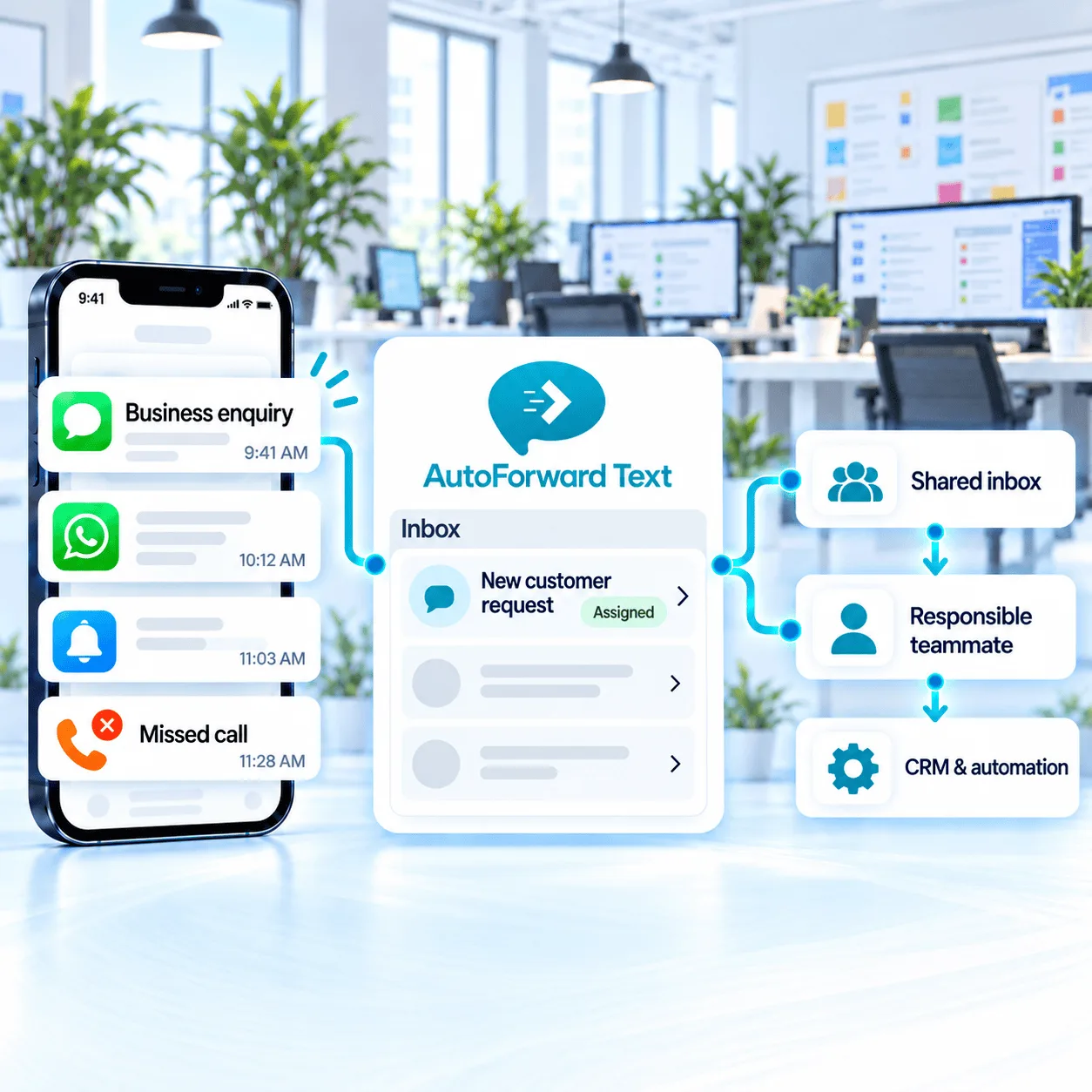
Connect supported existing phones or cloud channels.
Use rules, destinations and team workflows.
Add CRM, automation and AI only where useful.
A business phone may receive leads, customer questions, supplier updates and operational alerts. AutoForward Text gives each supported event a controlled path to the person or system responsible for it.
Let authorized team members see supported communication without physically sharing a phone.
Send sales, support and operational messages down different paths using available rules.
Use supported inbox replies, forwarding and auto-replies to reduce avoidable delays.
Keep available message and activity context connected to the workflow that follows.
Use supported sender, contact, keyword, source and schedule conditions to separate messages before forwarding them. A new lead can notify sales while a service request reaches support and an after-hours alert reaches the on-call team.
Keep an existing mobile number, add a virtual number, connect Twilio or include WhatsApp. Each source has different forwarding and reply capabilities.
Forward supported SMS, calls and app notifications from an existing business phone.
Use supported Apple Shortcuts workflows for text forwarding.
Add a business number for supported SMS, calls and cloud routing.
Connect Twilio messaging to team and automation destinations.
Use supported QR or Meta Cloud configurations for WhatsApp workflows.
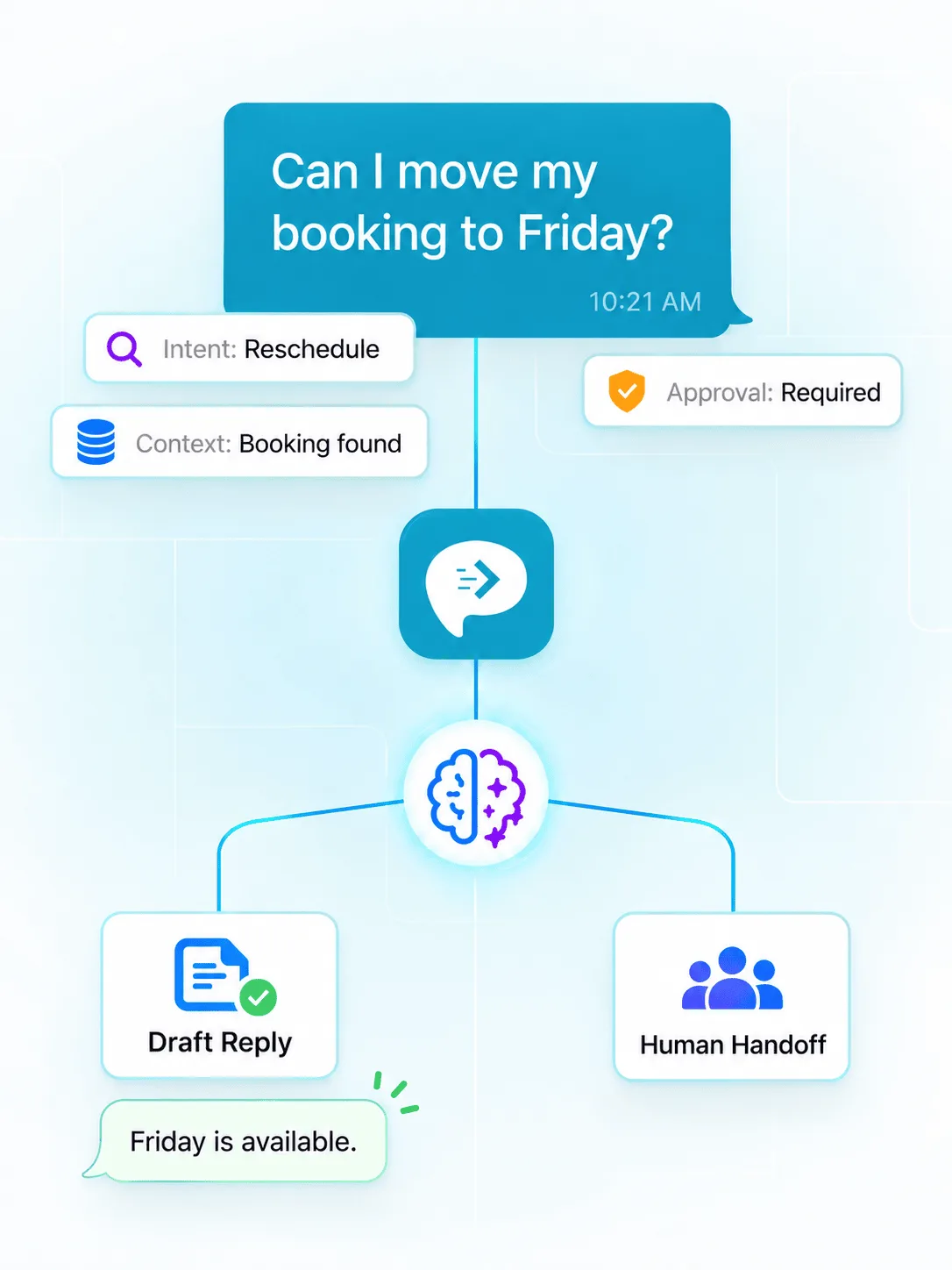
Forwarding creates visibility. Integrations turn supported messages into structured business actions—from recording a lead to opening a ticket, notifying a team or preparing a reviewed reply.
Use the level of automation the process deserves. A direct alert may be enough; complex customer journeys can add CRM records, branching and controlled replies.
Review supported SMS and WhatsApp conversations from one dashboard.
Build visual SMS and WhatsApp scenarios with connected apps.
Create flexible message and AI automation workflows.
Trigger familiar business apps when supported messages arrive.
Add message leads, notes and follow-up context to contacts.
Connect conversations with contacts, opportunities and tasks.
Route message context into people, deals and sales activities.
Connect internal software and use supported authenticated replies.
Each team handles messages differently. See examples for lead response, customer care, operational alerts and shared client communication.
Route buyer, seller, tenant and property enquiries to agents and offices.
Keep operational messages visible while applying appropriate privacy controls.
Connect sales and service enquiries with the responsible team.
Route supported system messages, alerts and on-call activity.
Separate client messages and connect them with shared workflows.
Bring incoming conversations into queues, inboxes and support tools.
Businesses decide which devices, messages, people and destinations belong in a workflow. Build around least access, informed authorization and the retention requirements that apply to your organization.
Connect only devices, accounts and destinations the business is permitted to use.
Use filters and rules to avoid moving communication that does not belong in a workflow.
Restrict dashboard, API, webhook and integration credentials to authorized users.
Review inbox and destination retention against business and legal requirements.
Prevent loops, duplicates and uncontrolled outbound actions.
Review sensitive, consequential or AI-drafted replies before sending.
Begin with the communication problem, not the integration list. Connect one source, prove its route, then add automation where it improves response and accountability.
Select the existing Android or iPhone workflow, virtual number, Twilio number or WhatsApp account.
Decide who or what should receive each supported message or event.
Apply filters, schedules and approved acknowledgement or reply paths.
Verify real scenarios, access and failure handling before adding CRM or AI actions.
Capabilities depend on the connected channel, device permissions, provider configuration and subscription.
Compare PlansConnect a supported Android phone, iPhone workflow, virtual number, Twilio number or WhatsApp account, then route eligible messages to email, another phone, Slack, a shared inbox, a CRM, a webhook or an automation platform. Available destinations depend on the source channel and plan.
A supported Android phone and SIM can retain an existing mobile number while forwarding SMS, call activity and selected app notifications. Businesses can also use supported Twilio or virtual-number configurations when a cloud number is a better fit.
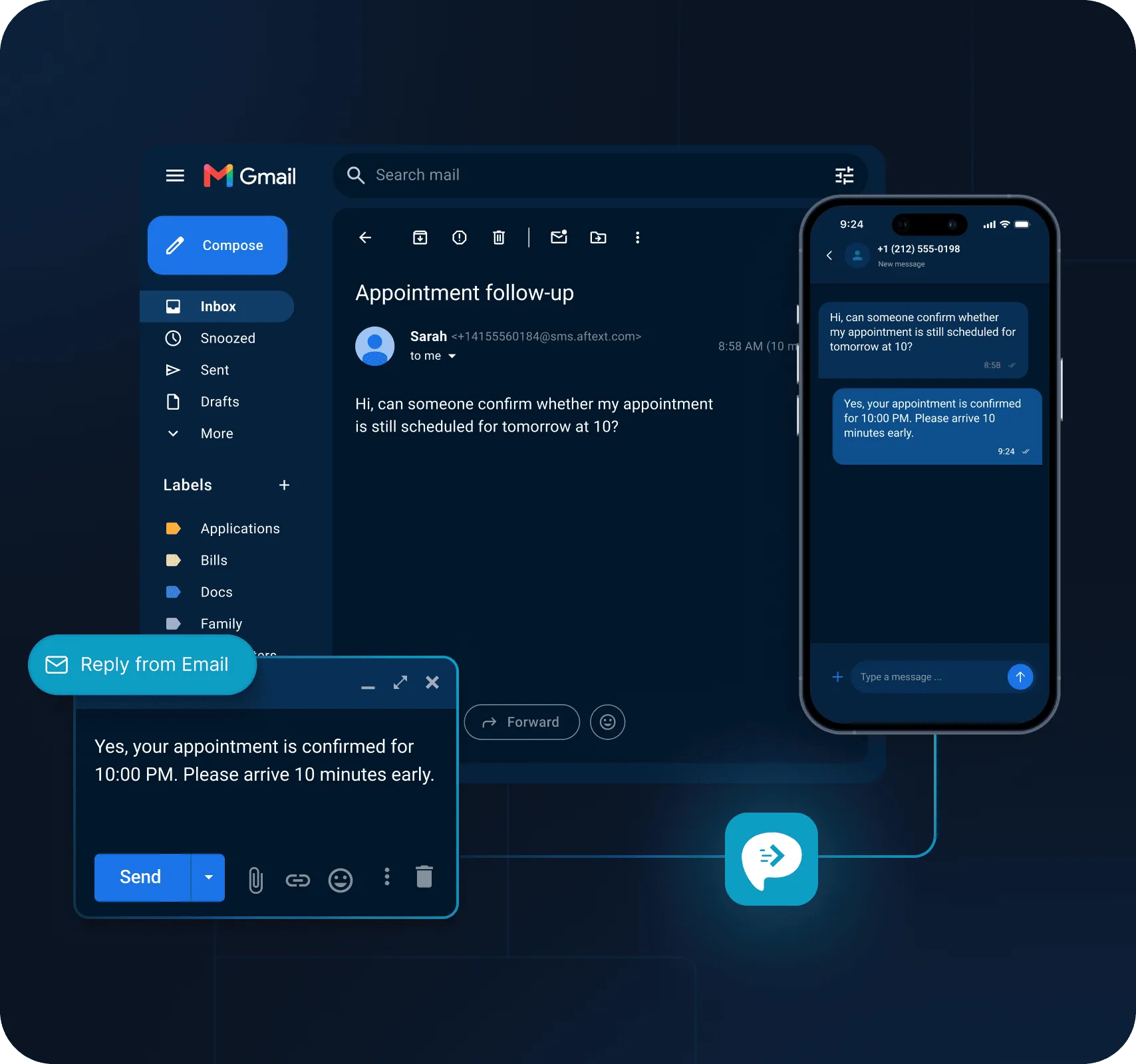
Supported unified-inbox, email, WhatsApp and gateway configurations can provide reply workflows. Reply availability depends on the original channel, provider permissions and outbound-capable setup.
Yes. Supported messages can be routed to HubSpot, GoHighLevel, Pipedrive and other systems through direct integrations, webhooks or automation platforms. The business controls field mapping and workflow actions.
Supported Android and virtual-number configurations can capture missed-call activity and send an alert or trigger a follow-up workflow. Call details and reply capabilities vary by channel and permissions.
Rules can separate supported messages by source, sender, keyword, contact, schedule or other available data and send them to different destinations. Agencies and multi-team businesses should plan access, retention and ownership carefully.
Supported webhook and automation workflows can pass messages to AI services for classification, extraction or drafting. Businesses should constrain access, validate outputs and require human review for sensitive or high-impact actions.
Professional is generally the best fit because it includes up to three devices or connections, forwarding to another phone, a virtual phone number, webhooks and messaging APIs, missed-call notifications, WhatsApp Meta Cloud integration and bring-your-own Twilio support.
Start with one device and a clear route, then expand into replies, CRM updates and automation as the workflow matures.