
Capture
Receive supported SMS, WhatsApp, email, notification, call or voicemail activity.
Explore ways to move supported SMS, WhatsApp, email, call and notification activity between phones, inboxes, teams and business systems—then open the detailed page or guide for the workflow you need.
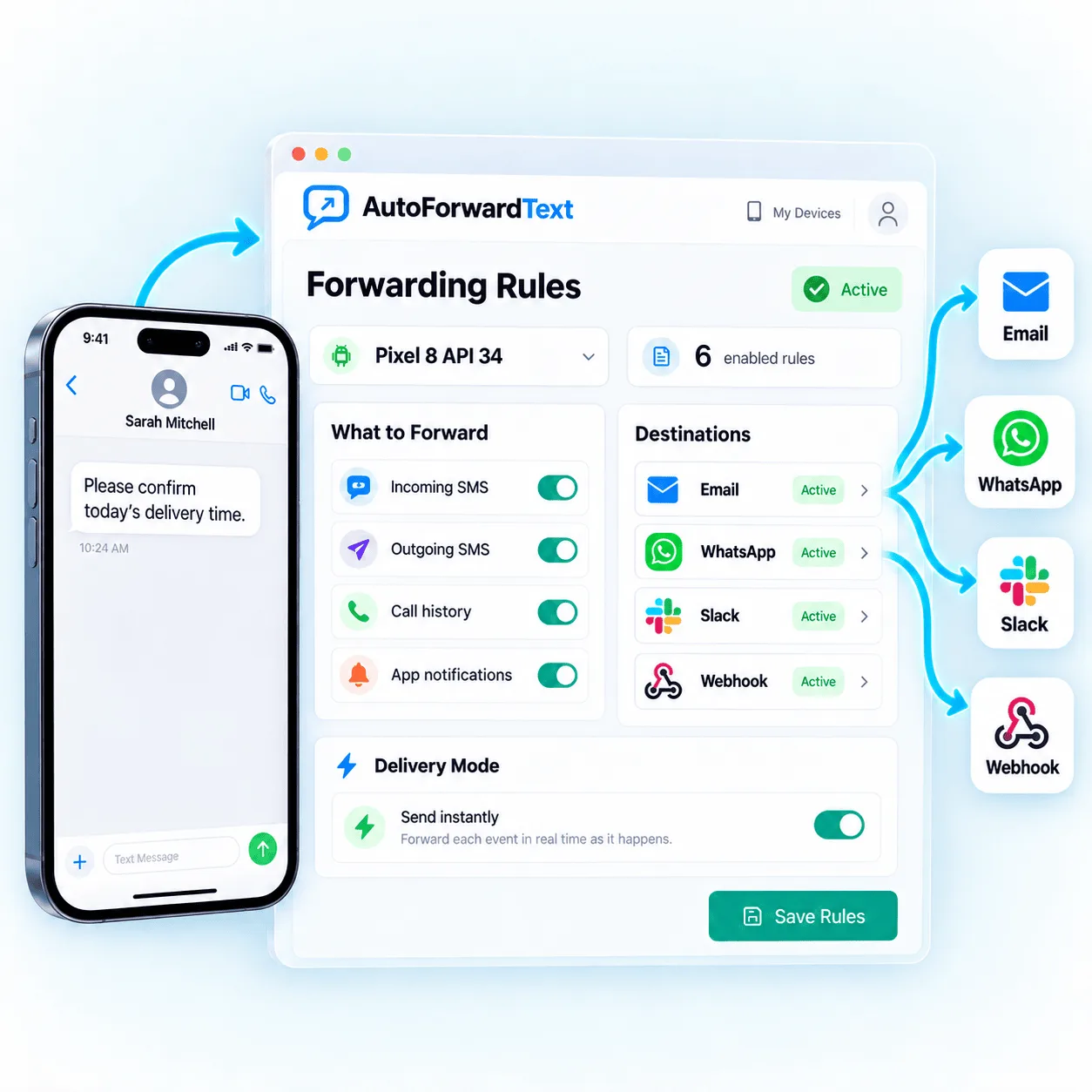
Phone, WhatsApp, email, Twilio or virtual number.
Shared inbox, email, Slack, CRM, webhook or phone.
Rules, replies, schedules, reporting and automation.
AutoForward Text features work in layers. First capture a supported communication event, then decide where it goes, who can respond and whether another system should act.
Receive supported SMS, WhatsApp, email, notification, call or voicemail activity.
Apply available senders, contacts, keywords, schedules and routing conditions.
Forward to selected people, inboxes, channels and business systems.
Use supported replies, text-back actions and carefully controlled automation.
Move supported messages and alerts from the place they arrive to the destination where they will be seen and handled.
Forward supported text messages to email, shared inboxes, Slack, WhatsApp, CRM, webhooks and another phone.
Use a private gateway address to turn emails into outgoing text messages.
Forward approved Gmail, Outlook, CRM or monitoring emails to one saved SMS or WhatsApp destination.
Put the recipient number in an AutoForward Text email address when the destination changes.
Route supported SMS from Android or iPhone workflows into a WhatsApp destination.
Forward selected one-time-code messages to an authorized email or second phone.
Use an Android phone and existing SIM as a controlled SMS gateway for APIs and workflows.
Send structured message events to software and use supported authenticated reply endpoints.
Send supported incoming text messages to a second phone or duty number.
Use supported contact, sender, keyword, schedule and source conditions to separate business-critical communication from everything else. Simple rules can notify one person; deeper workflows can update several systems.
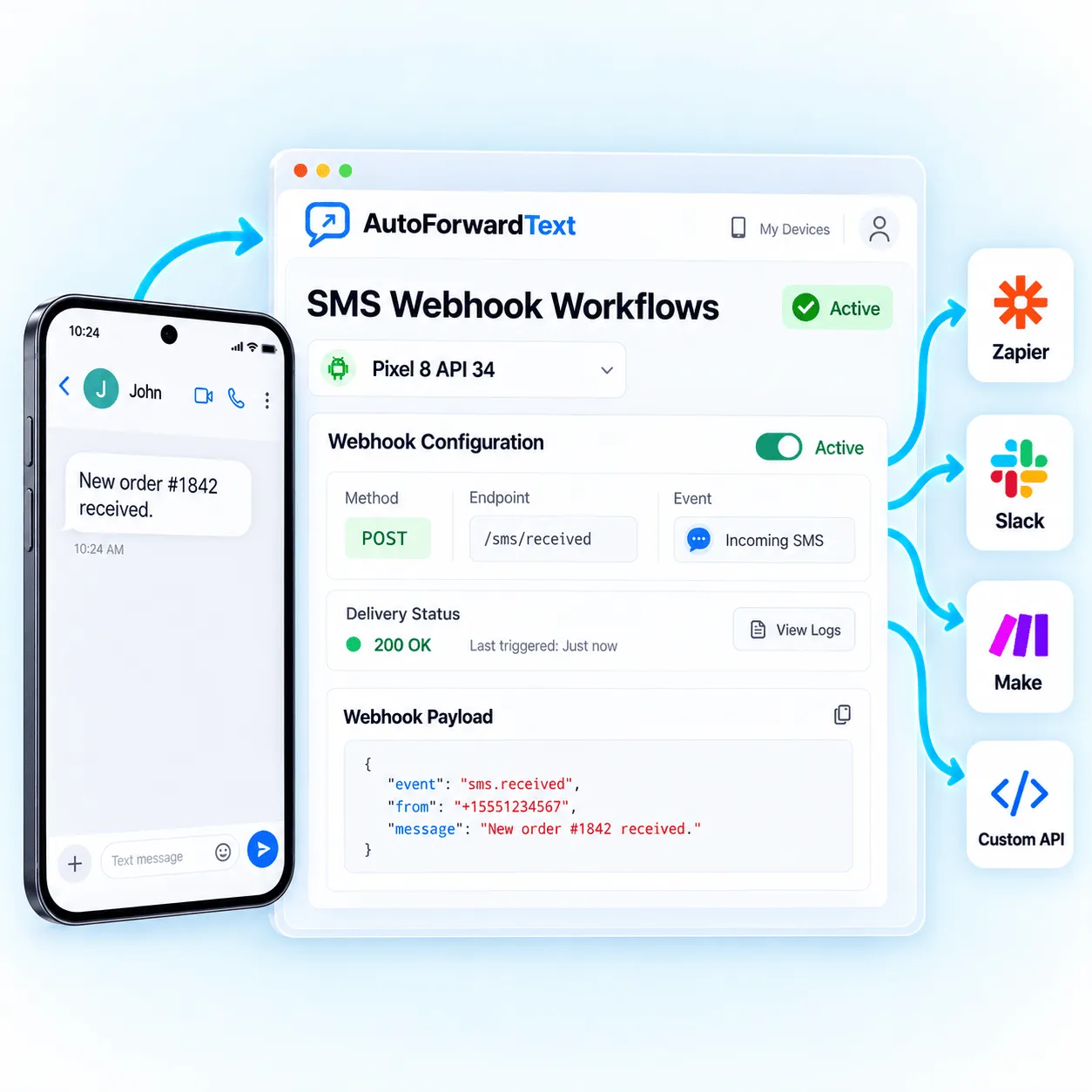
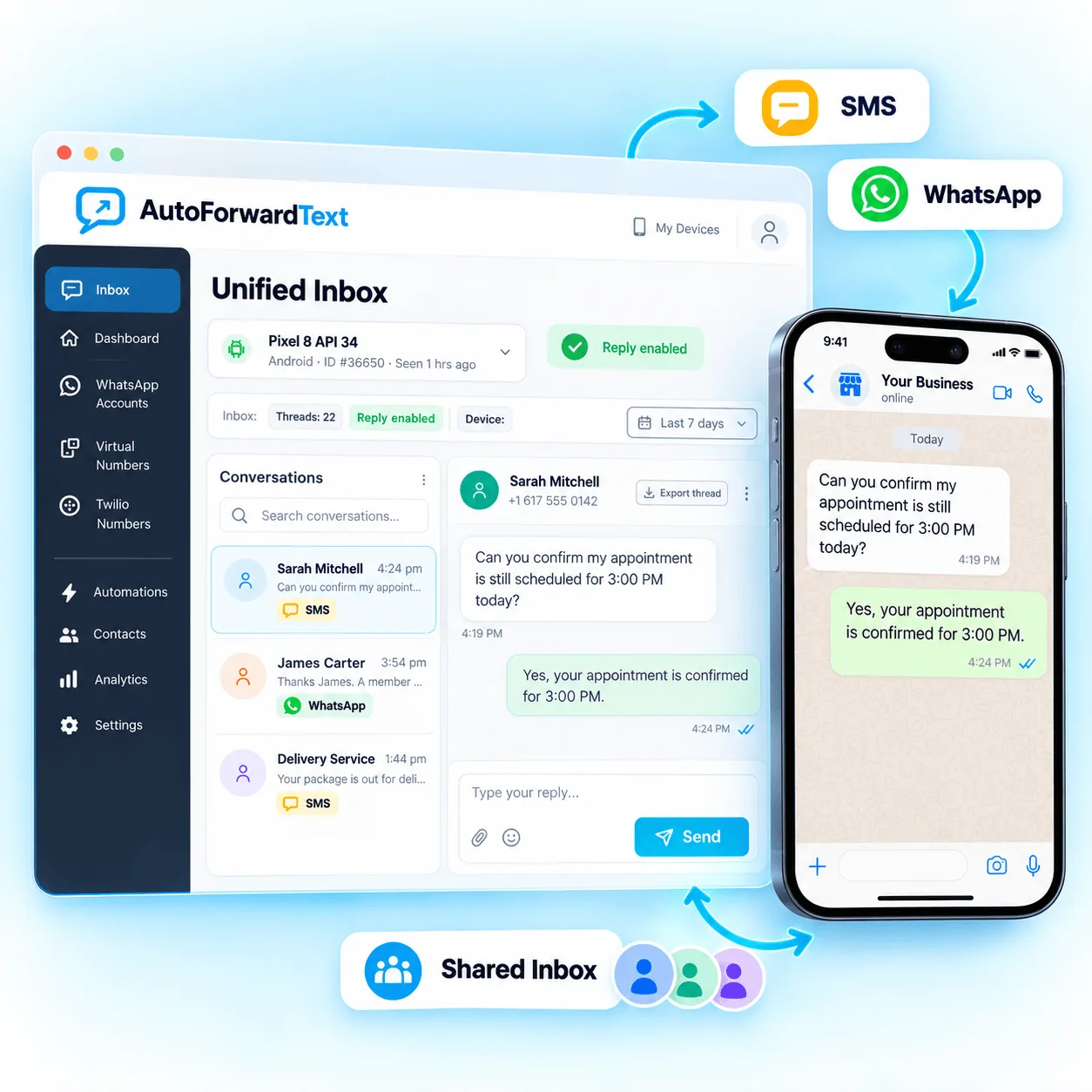
Forwarding solves visibility. Inbox and reply features add the return path, while schedules and event-driven responses help teams cover predictable moments.
Bring supported SMS and WhatsApp conversations into one web dashboard.
Press Reply in Gmail or Outlook and route the response through a supported Android SMS gateway.
Use a supported email reply path to respond to the original WhatsApp conversation.
Schedule supported text and WhatsApp messages through Android, QR, Meta Cloud or Twilio senders.
Detect supported missed calls and automatically send an approved SMS or WhatsApp response.
Create controlled replies for supported keywords, senders, schedules and business scenarios.
Messaging is only part of the customer journey. Supported call-enabled channels can make missed calls, voicemail and available number information visible in the same operational workflow.
Track supported incoming, outgoing and missed-call activity.
Voicemail to EmailSend supported virtual-number voicemail recordings and details to email.
Caller ID & Reverse Phone LookupSearch available carrier, location and name details, then revisit saved lookup history.
Choose the source based on number ownership, device availability, reply requirements and how the business already communicates.
Connect a supported existing number through an Android phone and SIM or compatible provider workflow.
Create supported text-forwarding workflows with Apple Shortcuts.
Get a business number for supported SMS, calls, voicemail and routing.
Connect an existing Twilio number to forwarding and automation.
Connect supported QR and Meta Cloud API messaging workflows.
Connect supported communication events to the systems where teams already manage leads, support work, alerts and follow-up.
Route supported conversations into CRM contacts, notes and follow-up workflows.
Connect incoming message leads with HubSpot contacts and timelines.
Create contact, opportunity and task workflows from supported messages.
Add message context to people, deals, notes and activities.
Send selected messages and operational alerts to team channels.
Build flexible SMS, WhatsApp and AI workflows.
Create visual messaging scenarios across connected apps.
Trigger app actions from supported incoming message events.
Classify, extract and draft responses with safeguards.
Connect custom software and supported authenticated replies.
A feature may look similar across channels but work differently underneath. Confirm authorization, outbound capability, destination access and provider rules before relying on a workflow.
Android, iPhone, WhatsApp, Twilio and virtual numbers support different events and replies.
Connect only devices, numbers, accounts and messages you are permitted to use.
Limit destinations, protect credentials and set retention appropriate for the workflow.
Prevent duplicate sends, reply loops and unreviewed high-impact actions.
Use each detailed page to confirm the requirements for its source, destination and reply path.
Compare PlansDepending on the connected channel and permissions, AutoForward Text can process supported SMS, WhatsApp messages, app notifications, call activity, voicemail events and email-originated alerts, then route them to configured people and systems.
Yes. Supported SMS and WhatsApp workflows can forward messages to email, while compatible reply configurations can route an email response back through the original messaging channel. Requirements differ by source and sending provider.
Standard Email to Text includes the destination phone number in the email address, making it useful when recipients change. Automatic email forwarding uses a private account address and one saved SMS or WhatsApp destination for recurring alerts.
Yes. Supported forwarding rules can send eligible messages to another phone number. Delivery method, cost and reply availability depend on the connected Android, Twilio, virtual-number or shared SMS configuration.
Yes. The unified inbox can bring supported SMS and WhatsApp conversations into a web dashboard for shared visibility and available replies, subject to channel and plan capabilities.
Supported call-enabled configurations can detect missed-call activity and trigger alerts or configured text-back workflows. Call access, outbound messaging and consent requirements depend on the source channel and location.
Yes. Supported messages can reach HubSpot, GoHighLevel, Pipedrive, Slack, n8n, Make.com, Zapier, webhooks, APIs and other business systems using available integrations and workflows.
No. Android, iPhone, WhatsApp, Twilio and virtual-number channels have different permissions and capabilities. Each feature page explains the relevant source, destination and reply requirements.
Get forwarding working first, then add shared replies, CRM actions and automation as your requirements become clear.