
01
Unified Inbox & Replies
Manage incoming SMS and WhatsApp conversations from one dashboard and reply without switching between devices.
Learn moreNever miss an important message again. AutoForward Text automatically forwards SMS, WhatsApp, calls and app notifications to email, another phone, Slack or your business tools — while bringing SMS and WhatsApp conversations together in one dashboard.
Compatible: iOS & Android • Setup takes 2 minutes • Cancel Anytime
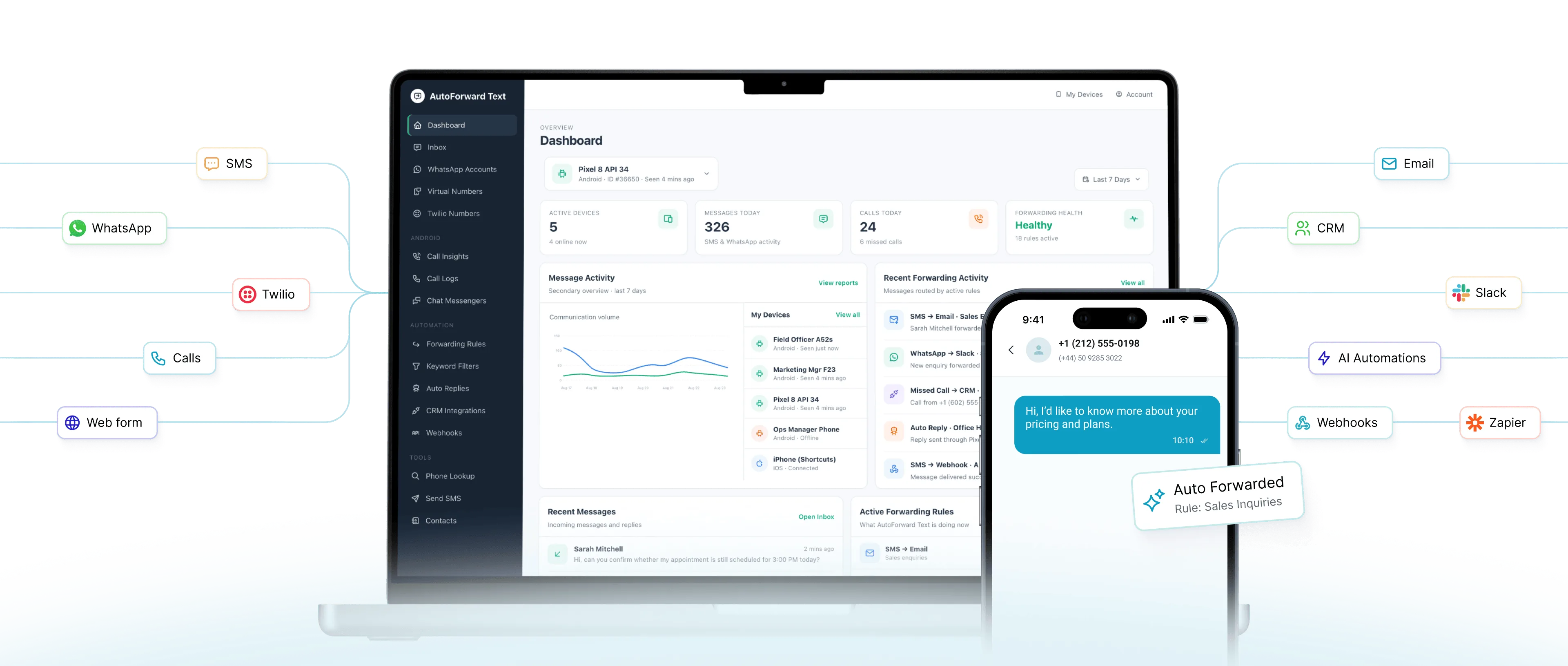
AutoForward Text helps you forward, manage, and respond to messages across SMS, calls, WhatsApp, Slack, and more — whether you're staying reachable, automating workflows, or running business communications.
Manage incoming SMS and WhatsApp conversations from one dashboard and reply without switching between devices.
Learn moreAutomatically forward SMS, MMS, calls and app notifications to email, another phone, Slack and other supported destinations.
Learn moreUse contacts, keywords, schedules and filters to control what gets forwarded and automate responses where appropriate.
Learn moreConnect WhatsApp and route incoming conversations to email, workflows and connected business tools.
Learn moreKeep track of missed calls, call activity and important communication events so critical contact does not disappear into a device.
Learn moreSend incoming communication to Slack, APIs, webhooks and automation platforms without changing how the original message arrives.
Learn moreConnect the device or account that receives messages, choose the destination, then expand into business workflows whenever you need more control.
Create an AutoForward Text account and access the web dashboard.
Android users install the AutoForward Text app. iPhone users can configure Apple Shortcuts. WhatsApp and Twilio can also be connected where relevant.
Choose where incoming messages should go — including email, another phone, Slack or other supported destinations.
Use a WhatsApp QR connection or Meta Cloud API, then route incoming conversations to email, webhooks, automation platforms, CRM systems and AI-agent workflows.
Connect a WhatsApp account through QR and use it in forwarding and automation workflows.
Connect supported WhatsApp Business messaging through Meta Cloud API.
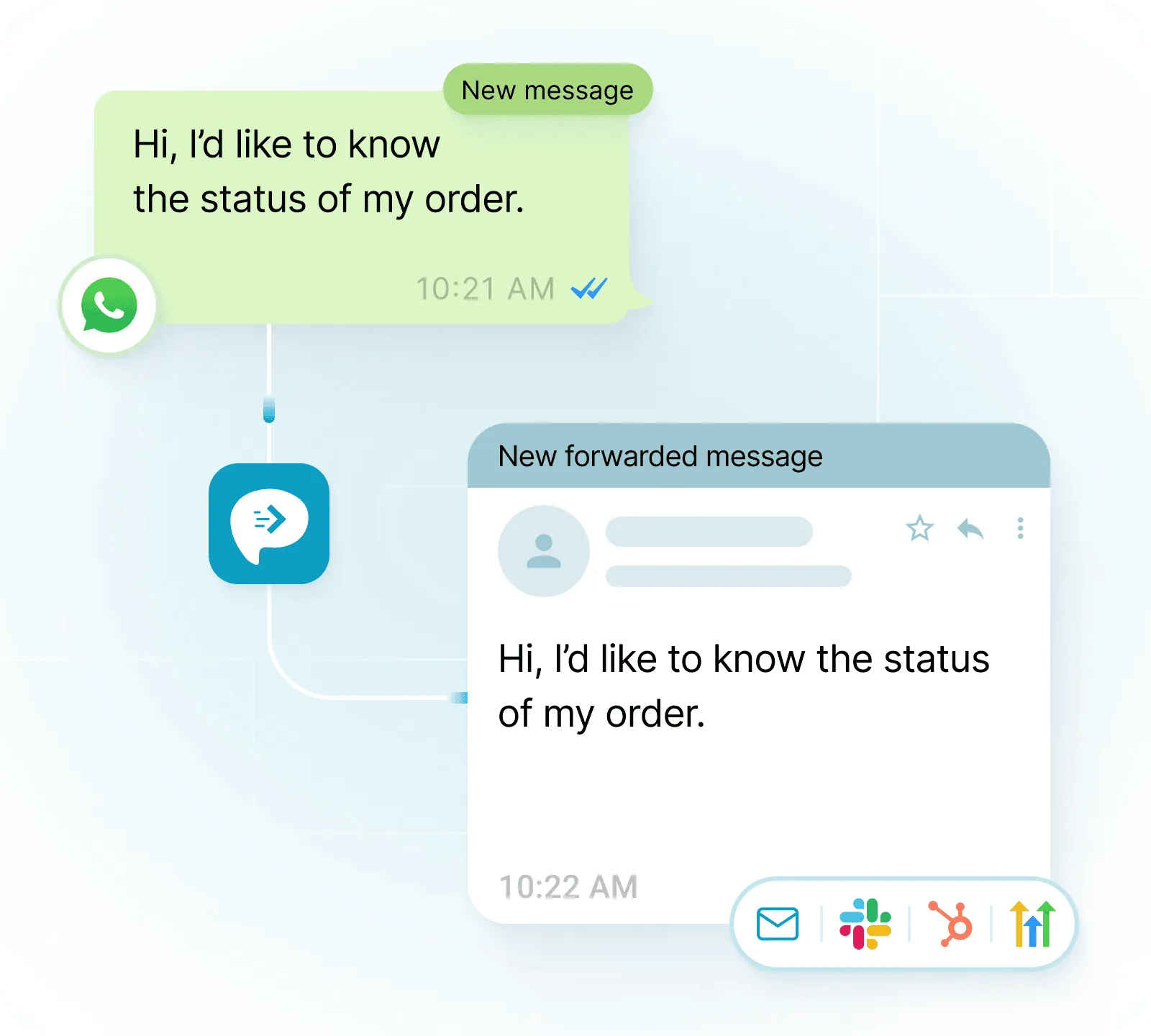
Keep the original forwarding workflow, or pass communication events into the tools your team already uses for support, automation and customer operations.
Route important incoming messages into team channels.
Connect message activity with customer and CRM workflows.
Use supported Twilio messaging alongside connected devices.
Trigger flexible automation and AI-agent workflows.
Build no-code and low-code messaging automations.
Pass message events into common SaaS workflows.
Forward SMS and WhatsApp messages into an inbox.
Send communication events into your own applications.
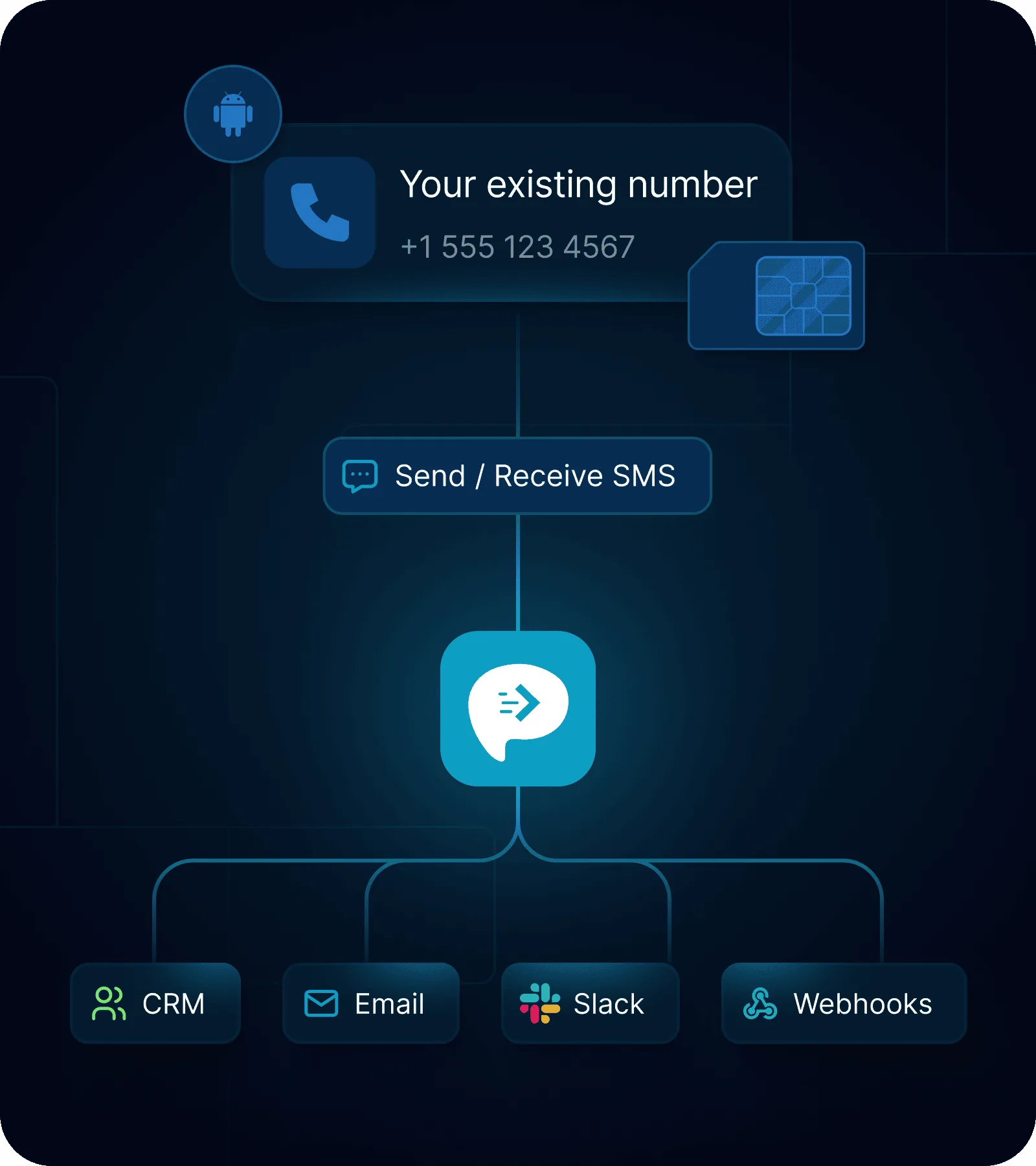
Connect an Android phone with your existing SIM and turn it into an SMS gateway. Forward incoming texts, send messages through your phone, and connect your number with email, webhooks, CRM systems and automated workflows.
AutoForward Text still solves practical forwarding problems for individuals and small teams, while supporting more advanced business workflows when needed.
Stay reachable when important communication arrives on another phone.
Route customer messages into the tools used by the people who need to respond.
Access important incoming communication without depending on one physical device.
Keep receiving important message alerts when using another device or location.
Route important incoming SMS and operational alerts to the appropriate destination.
Trigger n8n, Make.com or custom workflows when messaging events occur.

AutoForward Text has been a great solution for our business. Jason was extremely responsive, professional, and patient while helping us set up a forwarding workflow that matched our specific needs. He explained what was possible, was upfront about any limitations, and worked with us to find a practical setup that worked smoothly from day one.
The support was excellent throughout the process, and the final solution was delivered quickly, customized for our use case, and easy to rely on. We really appreciated the clear communication, hands-on help, and commitment to making sure everything worked properly.
The basic forwarding questions still matter. The newer API and automation features build on top of them.
Visit the Help CenterCreate your AutoForward Text account, then install the Android app on the phone receiving SMS. iPhone users can configure supported Apple Shortcuts workflows. After connecting the device, choose where messages should be forwarded.
AutoForward Text can route supported messages to destinations such as email, another phone, Slack and connected business tools. Webhooks and integrations can also send communication events into automation systems.
iPhone users can configure Apple Shortcuts to work with AutoForward Text for supported forwarding workflows. See the iPhone forwarding instructions for the setup steps.
View iPhone text forwarding setupYou can automatically forward incoming text messages to another phone number using AutoForward Text, whether you're using Android or iPhone.
You can also create forwarding rules for specific senders or keywords, making it easy to route important text messages to another phone number.
Supported connected messaging workflows can be replied to from the AutoForward Text dashboard or through available reply/API workflows, depending on the connected channel.
AutoForward Text supports WhatsApp connection options as well as forwarding workflows for supported app notifications and message events. WhatsApp can also be routed into email, webhooks and automation systems.
Forwarding rules can use criteria such as contacts, keywords, schedules and filters so that only the messages relevant to a particular workflow are routed onward.
Device-based forwarding requires the connected phone to be powered on and able to communicate with the service. If the phone is offline, messages cannot be forwarded from that device until connectivity is restored.
The web dashboard can centralize supported SMS and WhatsApp conversation activity, making it easier to manage communication from one place and connect it with team workflows.
It allows an Android phone with an existing SIM and mobile number to receive SMS and expose those messages to webhooks and APIs, while also supporting programmatic sending and replies.
Yes. Incoming communication can be passed to automation platforms through supported webhooks and APIs. The automation or AI agent can process the message and, where supported, send a reply back through the original channel.
Use your AutoForward Text account dashboard to manage your subscription and account settings. For additional help, visit the support page.
Start with simple SMS forwarding or connect your messaging workflows with email, Slack, WhatsApp, webhooks, automation platforms and business tools.