Why did Android stop forwarding messages?
If AutoForwardText was working before and suddenly stopped forwarding messages, the issue is usually caused by Android restricting background activity or permissions being removed.
Try the following checks:
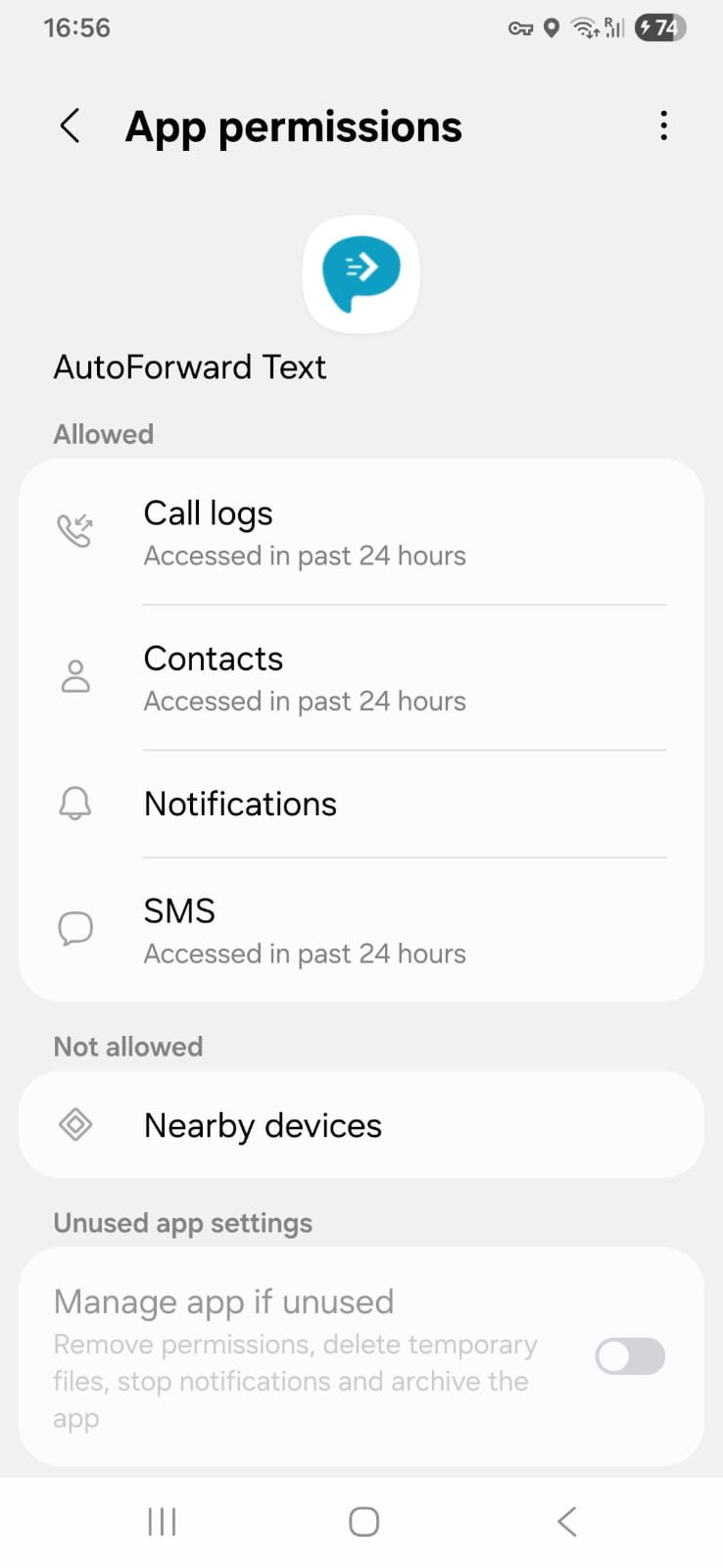
1. Verify SMS permissions
Open:
Settings → Apps → AutoForwardText → Permissions
Make sure these are enabled:
• SMS
• Notifications
• Phone (if used)
• Call Logs (optional)
If Android removes permissions after an update, forwarding can stop unexpectedly.
2. Disable Battery Optimization
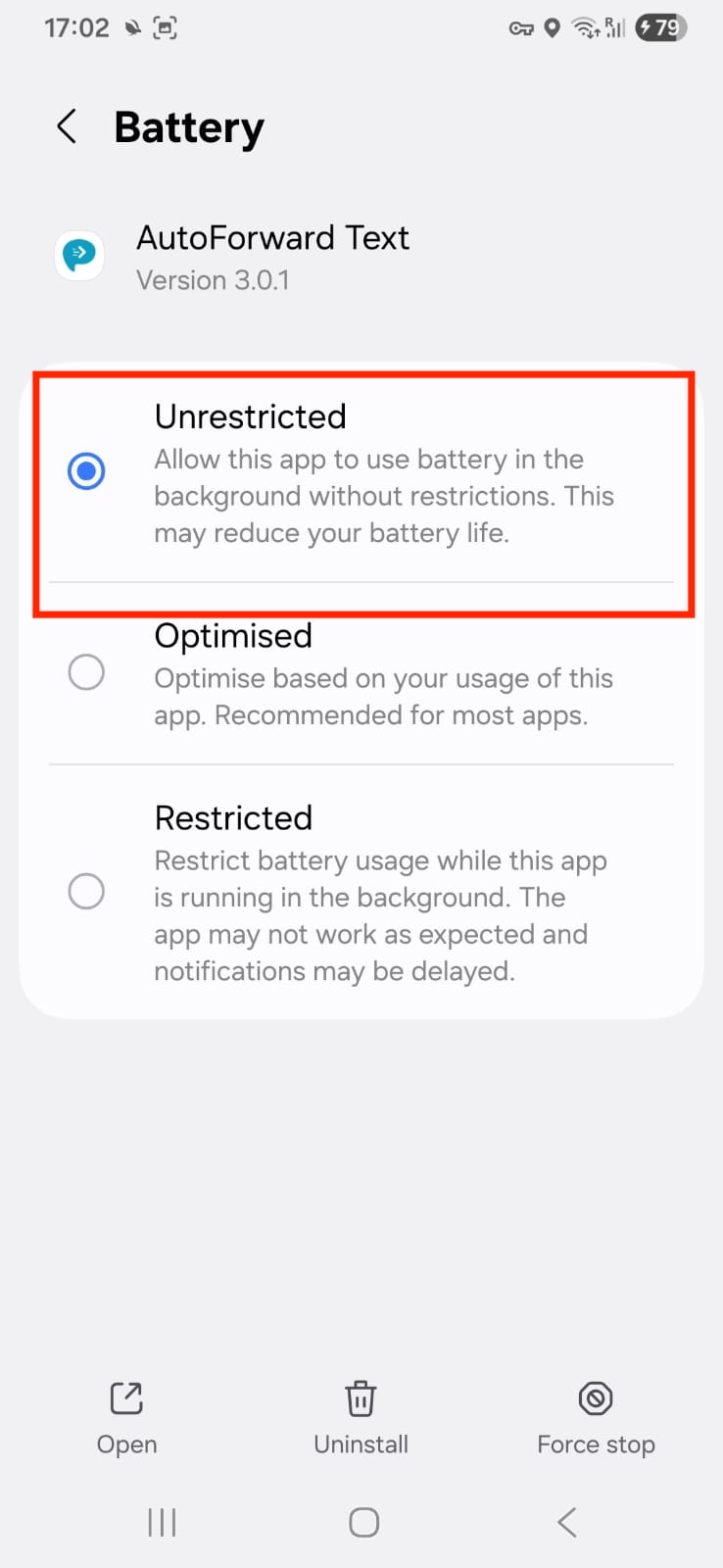
Many Android devices stop apps from running in the background to save battery.
To disable:
-
Open Settings
-
Battery
-
Battery Optimization
-
Find AutoForwardText
-
Select Don't Optimize
3. Verify Notification Access
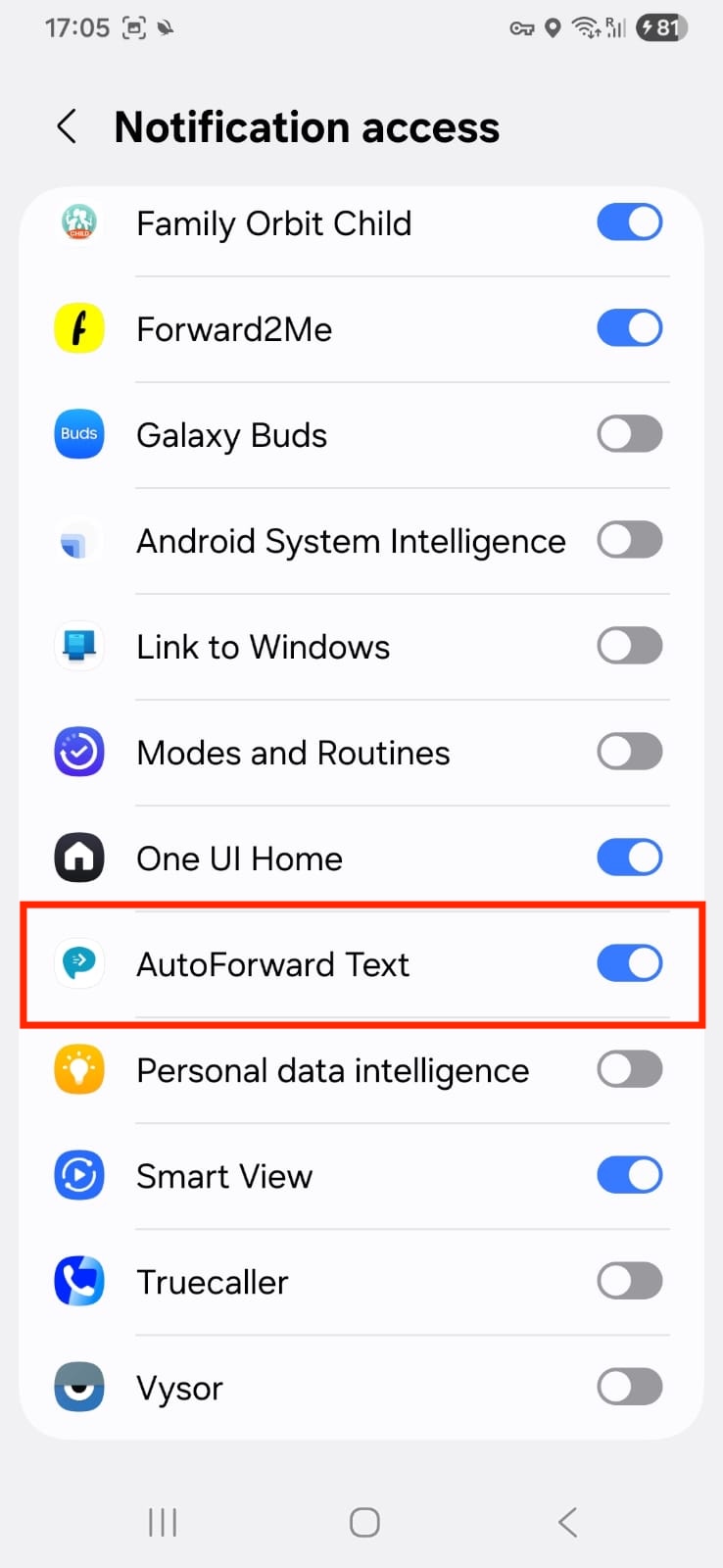
If you forward notifications from apps such as WhatsApp or Telegram:
-
Open Settings
-
Notifications
-
Special Access
-
Notification Access
-
Enable AutoForwardText
4. Restart the App
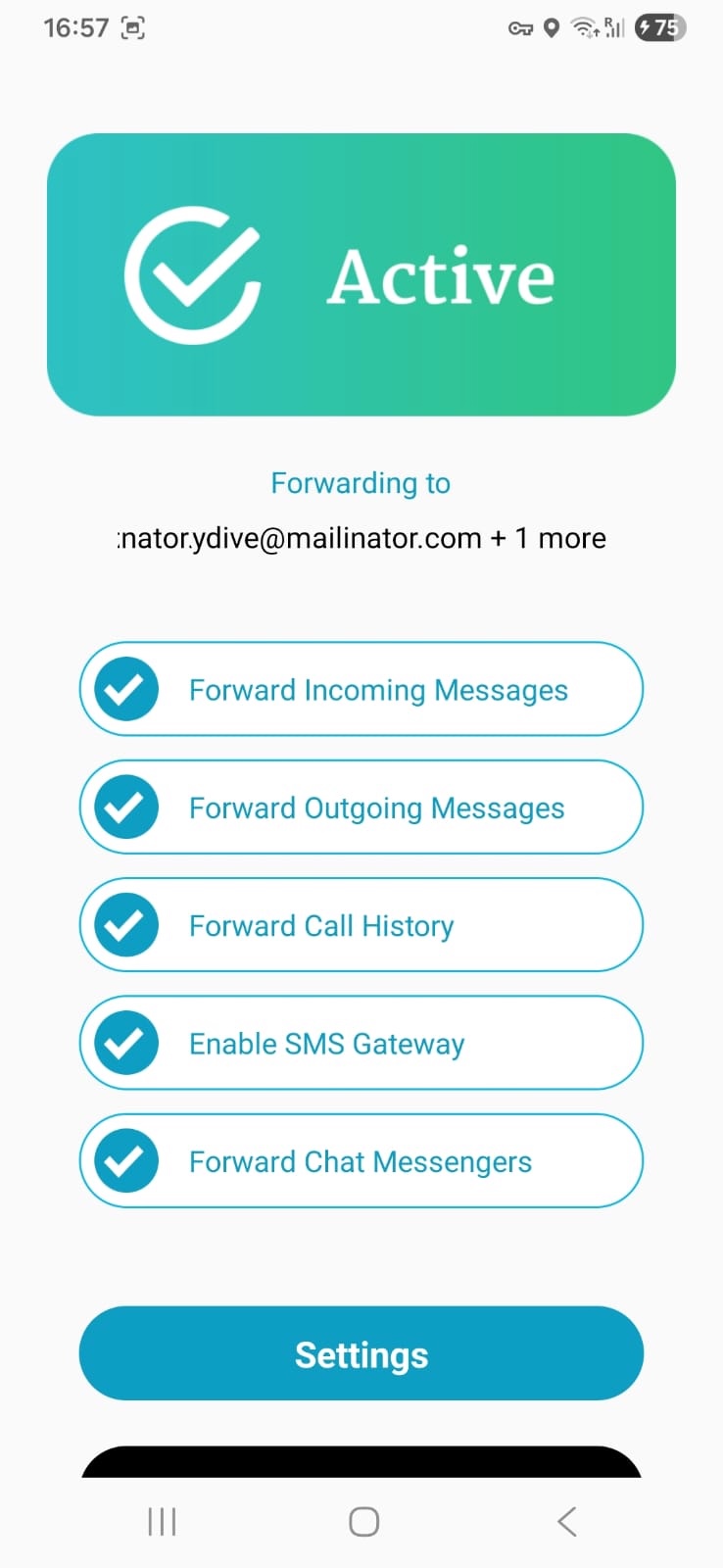
Open AutoForwardText again and verify that the device appears online in your dashboard.
If the device shows Offline:
• Verify internet connection
• Disable battery restrictions
• Restart the phone if needed
Common manufacturers that aggressively stop background apps
• Samsung
• Xiaomi
• Huawei
• Oppo
• Vivo
These manufacturers may stop forwarding unless AutoForwardText is excluded from power management.
Still need help? Contact support.