How do I set up Voicemail to Email?
AutoForwardText can automatically send voicemail recordings and transcriptions to your email address. This allows you to review missed calls without dialing into voicemail or listening from your phone.
Voicemail to Email works together with your existing phone number using call forwarding.
How Voicemail to Email Works
Customer calls your existing phone number
                ↓
Phone rings
                ↓
No answer
                ↓
Carrier forwards the call to your AutoForwardText Virtual Number
                ↓
Caller leaves a voicemail
                ↓
AutoForwardText receives the recording
                ↓
Email sent to you with:

✓ Caller number
✓ Date and time
✓ Voicemail recording
✓ Transcription (when available)
Your customers continue calling your normal number. No change to your public number is required.
Step 1: Obtain an AutoForwardText Virtual Number
First, add a Virtual Phone Number from your AutoForwardText dashboard.
This virtual number will receive forwarded calls and host your voicemail.
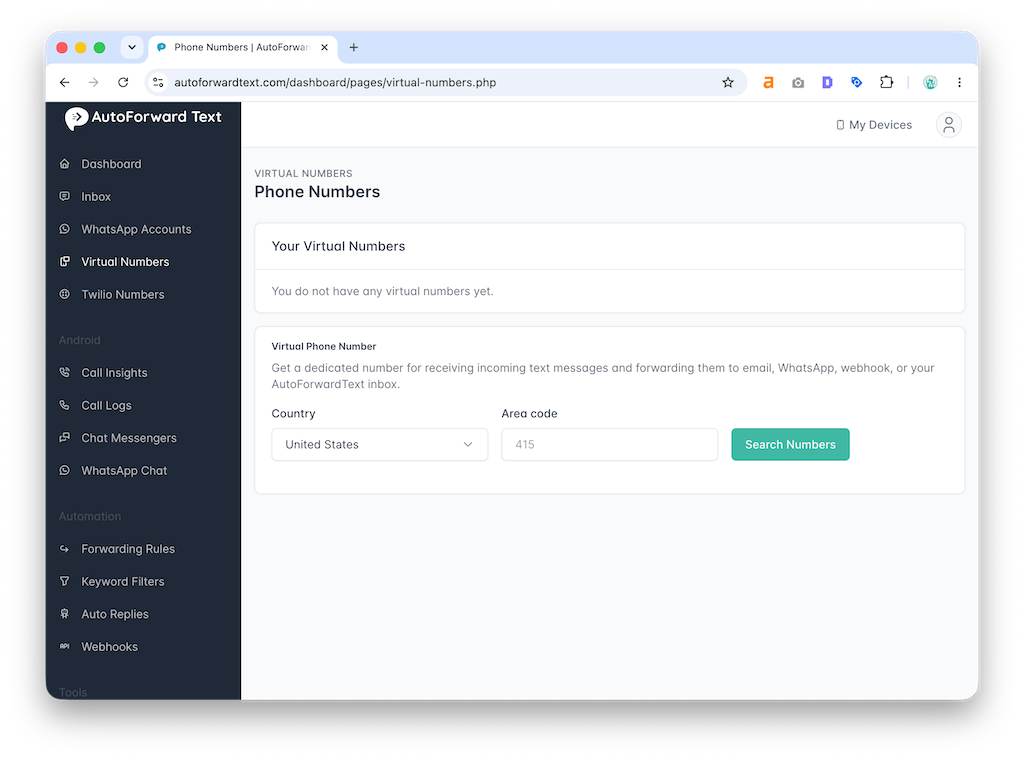

Step 2: Configure No Answer Call Forwarding
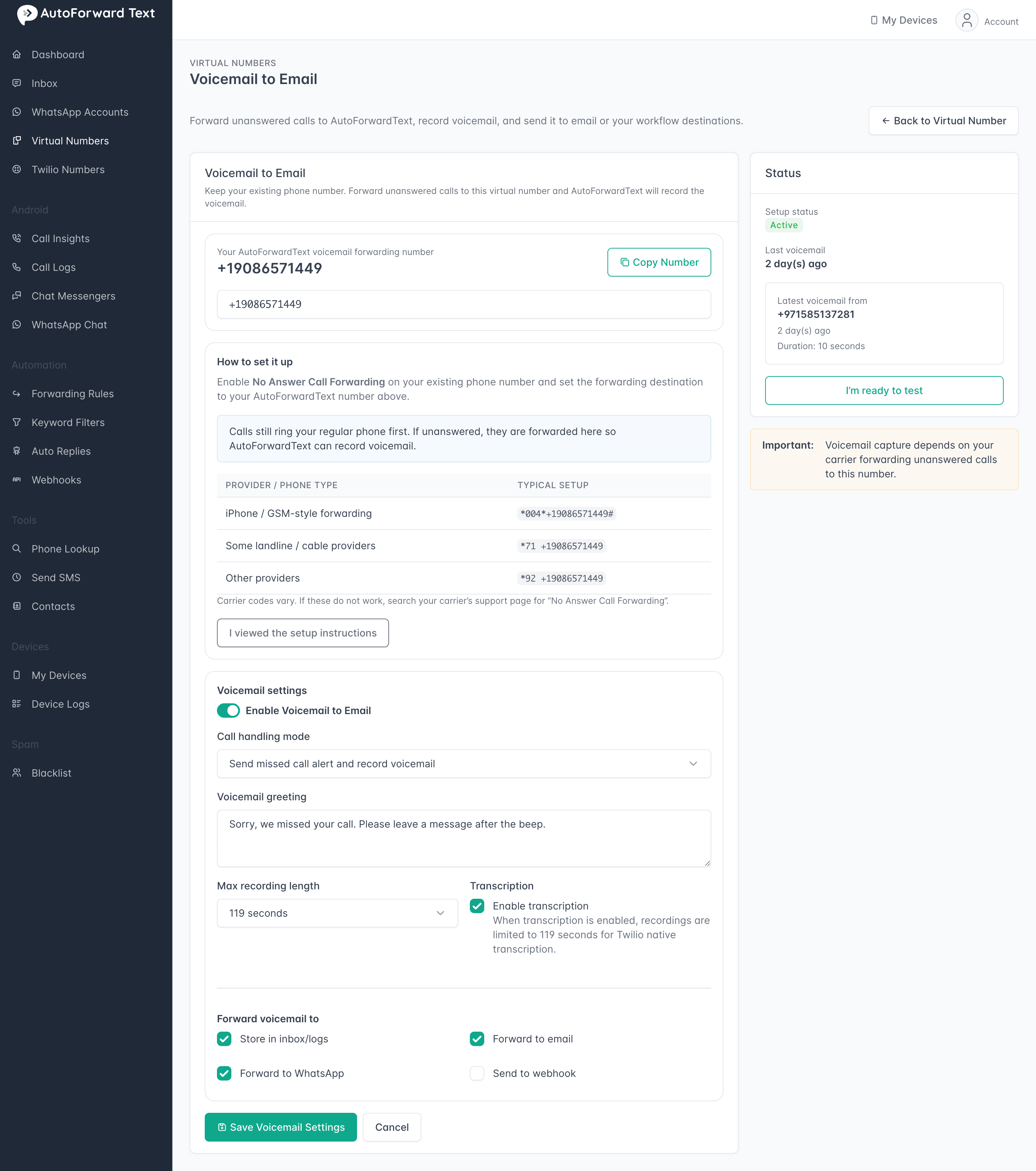
Voicemail to Email requires a carrier-level change.
Configure your existing phone number so that unanswered calls are forwarded to your AutoForwardText Virtual Number.
You can use:
• iPhone carrier forwarding
• Android carrier forwarding
• Google Voice
• Business phone systems
• Carrier no-answer forwarding
See:
How to Set Up No Answer Call Forwarding for carrier codes and instructions.
Step 3: Configure Voicemail to Email
-
Open:
Virtual Phone Numbers
-
Select your number
-
Click:
Set up Voicemail to Email
-
Enter the email address that should receive voicemail notifications
-
Save your settings
What Information Will I Receive?
Each email may contain:
• Caller phone number
• Date and time
• Voicemail recording
• Audio attachment
• Transcription (when available)
Transcription quality depends on recording clarity and language.
Common Uses
Voicemail to Email is popular with:
• HVAC companies
• Contractors
• Real estate agents
• Small businesses
• Field service teams
• Sales professionals
Many businesses use it to avoid losing leads after hours or while away from the phone.
How Long Does My Phone Ring Before Voicemail?
Your carrier controls the number of rings before forwarding.
Most carriers wait approximately:
• 15–30 seconds
• 4–6 rings
Some carriers allow this delay to be customized.
Can I Keep My Existing Number?
Yes.
Your existing number remains unchanged.
Customers continue calling your normal number as usual. The forwarding happens behind the scenes and only activates when you do not answer.
Important
Voicemail to Email requires No Answer Call Forwarding to be configured with your carrier or phone system.
Without call forwarding enabled, unanswered calls will continue to use your carrier's default voicemail system instead of AutoForwardText.
Still need help? Contact support.