How do missed call alerts work?
AutoForwardText can notify you whenever a call is missed, even if the original call was made to your personal or business phone number.
The most common setup is:
Customer calls your regular number
          ↓
No answer or unavailable
          ↓
Carrier forwards the call to your AutoForwardText Virtual Number
          ↓
AutoForwardText detects the missed call
          ↓
Alert is sent to Email, SMS, WhatsApp, or a Webhook
This allows you to receive missed call notifications without changing your existing phone number.
How do I set up missed call alerts?
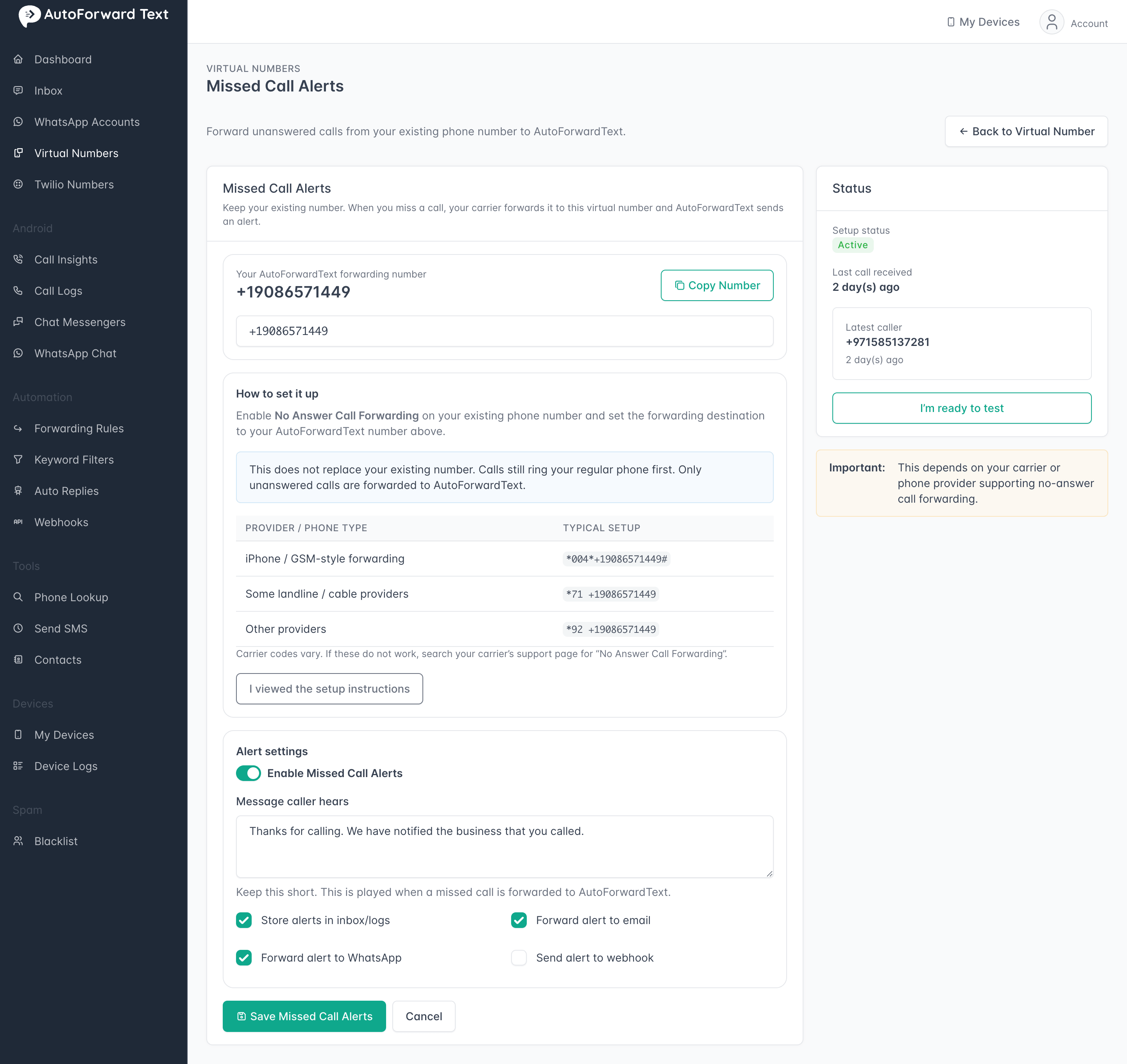
First, configure your mobile carrier or phone system to use No Answer Call Forwarding and point unanswered calls to your AutoForwardText Virtual Number.
Examples include:
• iPhone call forwarding
• Android call forwarding
• Business phone systems
• Google Voice
• Carrier no-answer forwarding
When a call is forwarded to your virtual number and is not answered, AutoForwardText records the event and sends an alert.
You can send missed call alerts to:
• Email
• SMS
• WhatsApp
• Webhook/API
How do I set up missed call alerts?
- Open Virtual Phone Numbers
- Select your number
- Click Setup Missed Call Alerts
- Choose alert destination
- Save changes
Send a test call to confirm alerts are working.
Common uses
Missed call alerts are popular for:
• Sales teams
• HVAC businesses
• Contractors and field services
• Real estate agents
• Appointment-based businesses
• After-hours support
This helps ensure that no lead or customer inquiry goes unnoticed.
What information is included?
Depending on your setup, alerts may include:
• Caller phone number
• Date and time of the call
• Missed call status
• Voicemail information (if voicemail is enabled)
Can I use my existing number?
Yes.
You do not need to advertise or change your existing number.
Simply configure your carrier or phone system to forward unanswered calls to your AutoForwardText Virtual Number.
Your customers continue calling your existing number as usual.
Still need help? Contact support.